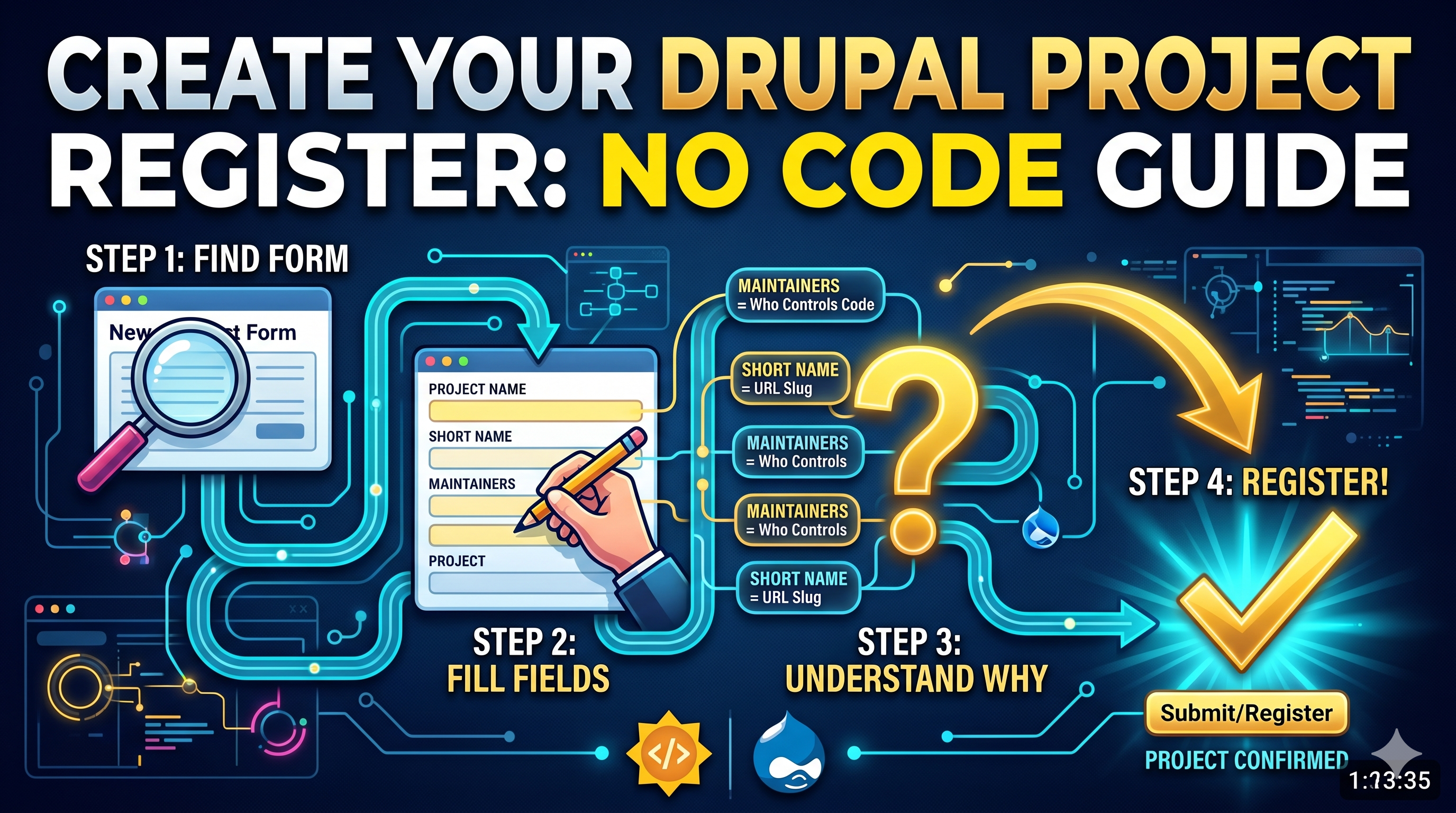
Creating a Module Project on Drupal (NO CODE) (With BONUS Section)
Learn how to create a Drupal Module Project without writing any code. This guide covers the different project types on Drupal and the step-by-step creation process, perfect for GSoC beginners.
Hey there!
Welcome to my GSoC journey where in I am going to take you through an adventure of events. This blog is for the Level 1. Or rather I should saying learning about how to "make the dish". We are going to create our very own Drupal Module Project!!
I will also append a Youtube link for the same if it does suit you better. Lets get into it!
Step 1: Understanding what all types of Projects you can create
When you head over to this site for project creation - Drupal Project Create. You will have 4 options.
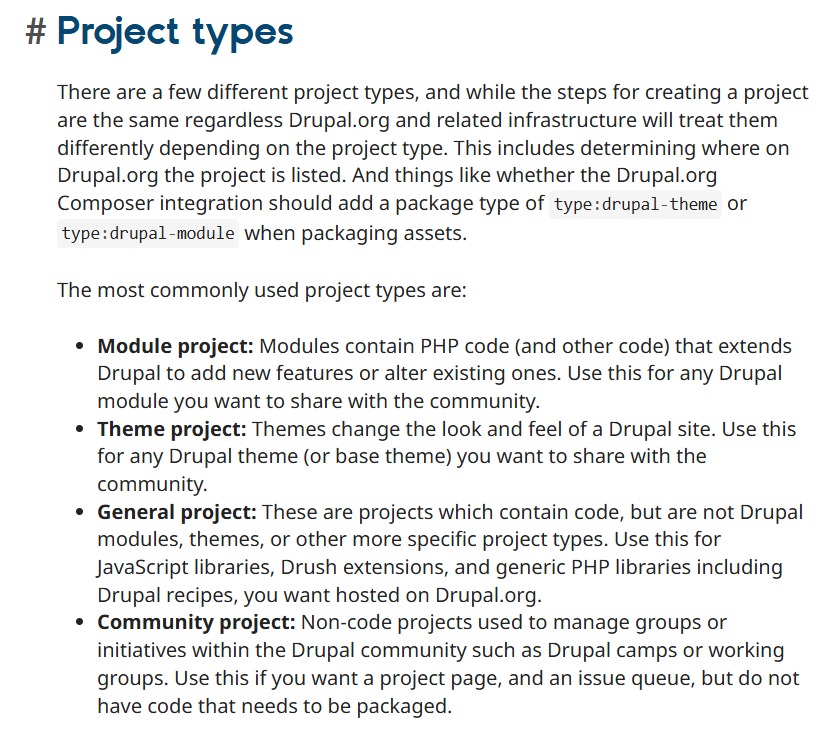
Drupal offers a few different project types:
1. Module project: Contains PHP code that extends Drupal or adds new features.
2. Theme project: Changes the look and feel of a Drupal site.
3. General project: Contains code, but isn't a module, theme, or specific type.
4. Community project: Non-code projects used to manage groups or camps.
Since our aim is to build an AI Recipe Generator that adds brand-new functionality to the site, selecting the Module project was the clear choice.
Step 2: Have Git on your computer
The absolute bare minimum as all the code changes everything should be done by this. But if you reading this and are a techie, you must already be having git : )
Step 3: Creating a project
Now when you go over this link: Project Creation, you will have a ton of options. Let us go through each one of them one by one.
- Drupal core: The foundational software that runs the entire Drupal platform.
- Distribution project: An all-in-one starter kit that bundles Drupal with pre-selected features to quickly launch a specific type of website.
- Community project: An organizational space for managing Drupal groups, events, and people rather than website code.
- General project: A catch-all category for miscellaneous code, tools, and libraries that don't fit into the standard module or theme categories.
- Module project: A functional plugin that adds new features or changes how your website works.
- Theme project: The design package that controls the colors, layout, and overall visual appearance of your website.
- Theme Engine project: The behind-the-scenes system that translates your theme's visual design into something the Drupal platform can understand.
- Translation project: An outdated archive for language translations, which are now managed on a separate, dedicated website.
Step 4: The Nitty Gritties
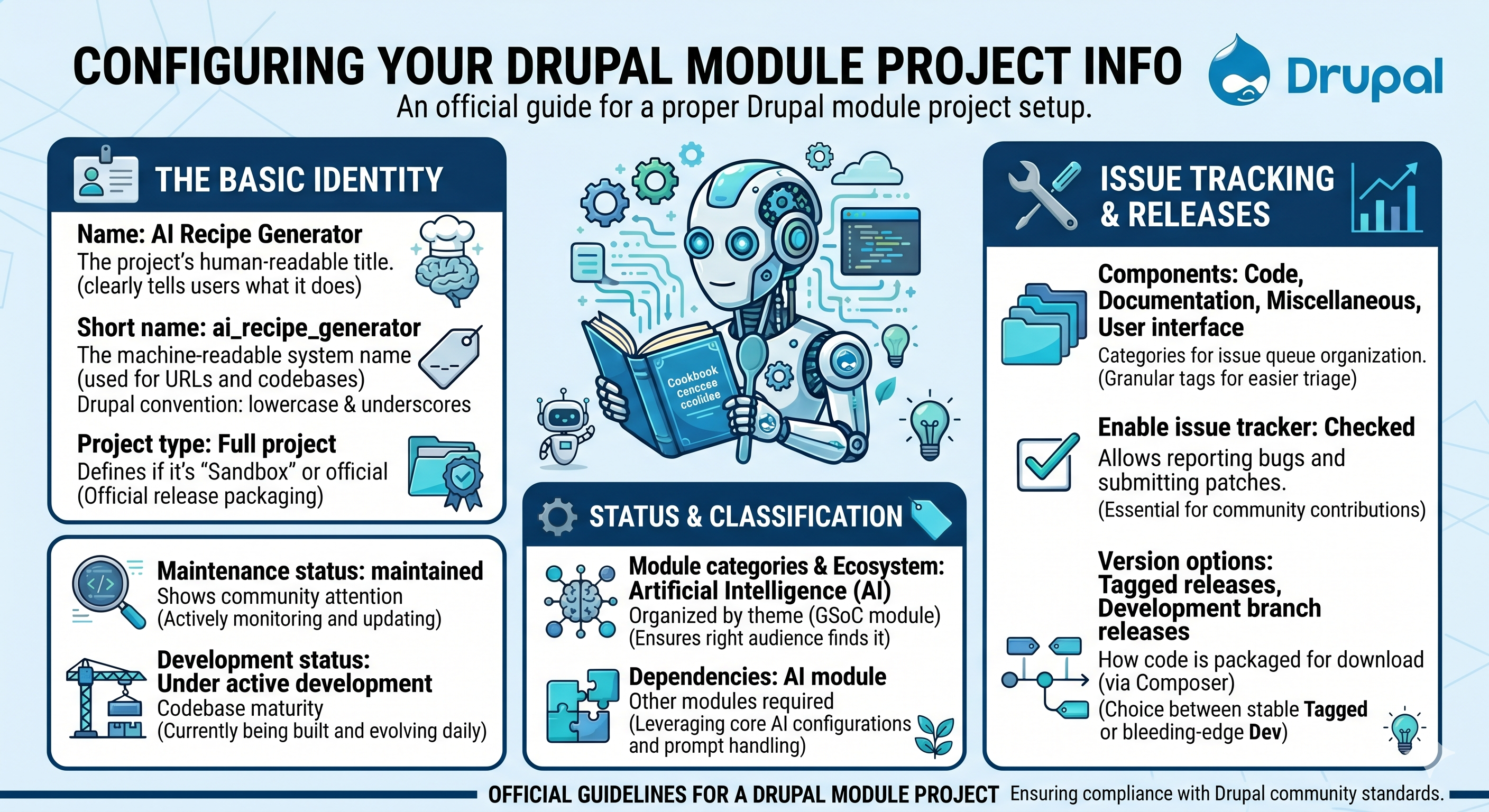
Now when you go to the next page, there is this huge form that you need to fill. Let me take you across each filed one by one.
The Basic Identity
Name: AI Recipe Generator
- What it is: The project's human-readable title.
- Why I chose it: It clearly tells users exactly what the tool does right away.
Short name: ai_recipe_generator
- What it is: The machine-readable system name used for URLs and codebases.
- Why I chose it: It matches the readable name using standard Drupal convention (lowercase and underscores) for consistency.
Project type: Full project
- What it is: Defines if it's a temporary "Sandbox" or an official "Full project."
- Why I chose it: To get end-to-end control and official release packaging for this GSoC module.
Status and Classification
Maintenance status: Actively maintained
- What it is: Shows the community how much attention the project gets.
- Why I chose it: I will be actively monitoring, updating, and managing this code for the next 12 weeks and beyond.
Development status: Under active development
- What it is: Indicates the codebase's current maturity.
- Why I chose it: The module is currently being built from the ground up and evolving daily.
Module categories & Ecosystem: Artificial Intelligence (AI)
- What it is: Tags used to organize and filter Drupal projects.
- Why I chose it: Since the module relies on generative LLMs, this ensures the right audience finds it.
Dependencies: AI module
- What it is: Other modules required for this to work.
- Why I chose it: We are leveraging the existing Drupal AI core module to securely handle API configurations and process prompts.
Issue Tracking and Releases
Components: Code, Documentation, Miscellaneous, User interface
- What it is: Categories for issue queue tickets.
- Why I chose it: Granular tags keep the project organized and make bug triage much easier.
Enable issue tracker: Checked
- What it is: Allows the community to report bugs and submit patches.
- Why I chose it: Open source thrives on collaboration, and this is essential for community contributions.
Version options: Tagged releases, Development branch releases
- What it is: How Drupal packages the code for download via Composer.
- Why I chose it: It gives users the choice between a stable "Tagged" release or the bleeding-edge "Development" version.
The Description that I put is below.
<p>The AI Recipe Generator is a module designed to accelerate site building by utilizing Artificial Intelligence to generate Drupal Recipes dynamically.</p>

<p>By integrating with the Drupal AI ecosystem, this tool allows developers and site builders to input natural language prompts and automatically generate the necessary configuration, module dependencies, and structure required for a functional Drupal Recipe.</p>

<h3 id="module-project--features">Features</h3>
<ul>
  <li>Integrates directly with the Drupal AI module to process prompts.</li>
  <li>Dynamically generates <code>recipe.yml</code> files and associated configurations.</li>
  <li>Streamlines the creation of standard site features (e.g., blog setups, event content types) without manual YAML writing.</li>
</ul>

<h3 id="module-project--post-installation">Post-Installation</h3>
<p>Once installed, you will configure the generator through the AI module's interface. You must have an active AI provider configured via the core AI module to process prompts and begin generating recipes.</p>

<h3 id="module-project--additional-requirements">Additional Requirements</h3>
<p>This module requires the following dependencies:</p>
<ul>
  <li>AI (Artificial Intelligence) module ecosystem</li>
</ul>

<h3 id="module-project--recommended-libraries">Recommended modules/libraries</h3>
<p>There are currently no additional recommended modules beyond the required AI ecosystem dependencies.</p>

<h3 id="module-project--similar-projects">Similar projects</h3>
<p>While standard Drupal site-building tools exist, this project uniquely leverages generative LLMs and the new Drupal Recipe API to architect configurations via natural language.</p>

<h3 id="module-project--support">Supporting this Module</h3>
<p>This project is currently being developed as part of <strong>Google Summer of Code 2026</strong>.</p>

<h3 id="module-project--community-documentation">Community Documentation</h3>
<p>Weekly progress, architectural breakdowns, and documentation for this GSoC 2026 project are being documented under the <em>Engineering in the Wild</em> series.</p>
Further you can also add your logo here. It was also confusing for me to find out where the logo is.

You are almost done!!! You can review and see the details what they are. And then finally you can save and your project is successfully created! You can view my module here:AI Recipe Generator
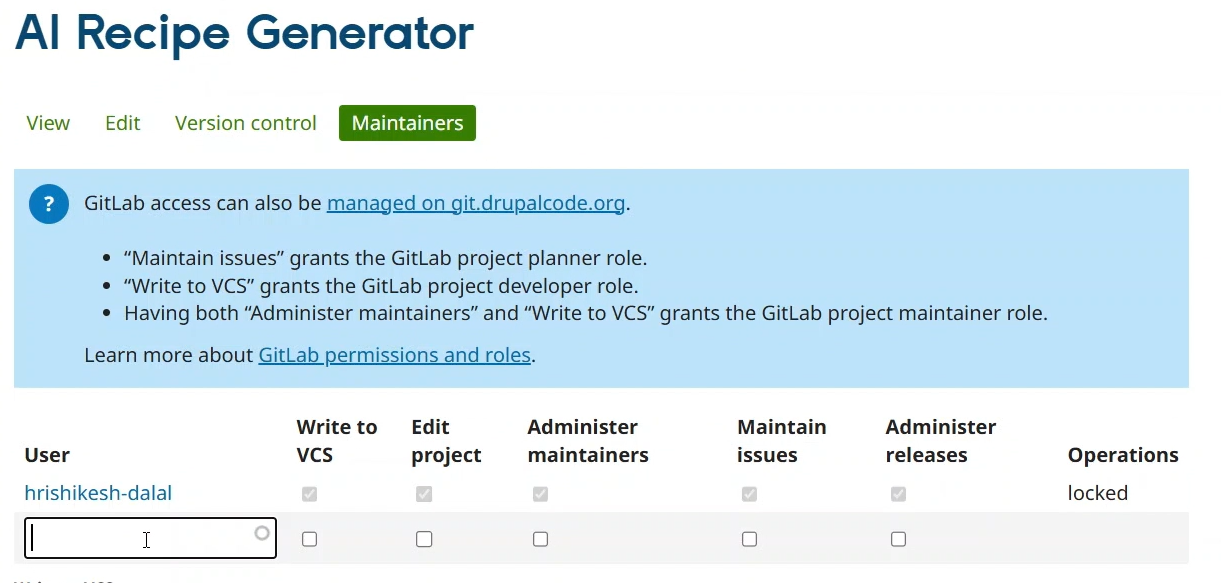
Bonus: How to Add Maintainers
Most probably, you will be working with someone else. And it will be necessary to add someone there. Head over to the Maintainers tab and select whom you want to add in the search box. You can select the necessary changes to be made and then press enter!
Follow Along for my next journey
Hrishikesh Dalal
Full-stack developer passionate about open-source software, web technologies, and building products that matter. Currently exploring Drupal ecosystem through Google Summer of Code. Interested in PHP, JavaScript, and system design.